Journey
Interactive Journey
- A walkthrough of real pieces from a live site — not a recap or a restyled mock.
- This is the product as the client would use it, in order: the same surfaces a visitor would see.
- Start, then Move next to walk the chapters. The left rail, scroll, and arrow keys still work.
A form beside the event
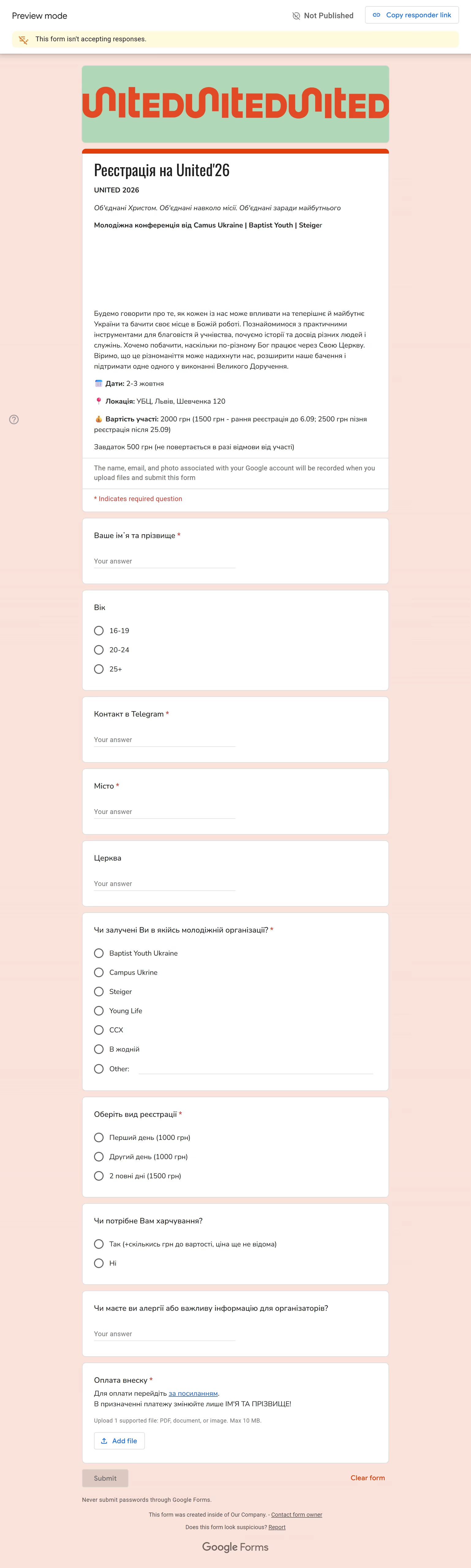
Sign-up lived in a Google Form next to the event, not on a page that belonged to it. A payment had no match to a person, and there was no branded place to register.
- 01A Google Form sitting next to the event, not inside it
- 02No way to match a payment to the person who paid
- 03No branded place where someone can register

Program, speakers, price, then register
The event page is the front door. Guests read the program, see the speakers, and see the price, and registration is the action on that same page.
- 01Program and schedule live on the event page
- 02Speakers and the price come before the form
- 03Register stays on the page at united26.org.ua
Fields this event actually uses
The form follows how this event signs people up: who they are, where they come from, which ticket, and whether they need meals. Meals are time-gated, so that block is open only while the count is still being taken.
- 01Name, age, Telegram, and city
- 02Church and organization
- 03Ticket type, meals, and a notes field
- 04Meals appear only while that window is open
Pay on the page, attach proof
The guest pays with LiqPay on the registration page, then attaches a receipt as an image or a PDF. The organizer can reconcile the person and the payment from that proof.
- 01LiqPay checkout on the same page as the form
- 02The receipt is an image or a PDF
- 03The organizer can match who paid without chasing files elsewhere
One row per guest
Each registration is one row the organizer can run. The spreadsheet holds the guest, and the stored receipt is linked from that row.
- 01One spreadsheet row for each guest
- 02The stored receipt is linked from that row
- 03Ticket type, meals, and notes sit on the same line
Feedback, switched on by date
After the event, the same site can open a feedback walkthrough: ratings one step at a time, then optional deeper questions. Guests can enter from a QR code. Feedback, like meals, is time-gated — it turns on by date, and it is not there before that.
- 01Ratings, one step at a time
- 02Deeper questions after the ratings are optional
- 03A QR code is a way into the walkthrough
- 04Meals and feedback both open and close by date